Tag Archives: advanced Find and Replace

How Much Did the Manuscript Change?

In a recent proofread, authors told me that they made “a few additional changes” as they uploaded content to the ebook system.

“OK,” I thought, “there’s always a few lingering typos, and looking at it in a new way (as happens when uploading) can reveal them.”

Continue reading How Much Did the Manuscript Change? →
Q&A: Can I make a list of in-text citations without a macro?

QIs there a way to make a list of all in-text citations without using a macro?

AYes, with a wildcard search!

Great question. Many editing checks could be done with such a list, and creating one is easy:

Continue reading Q&A: Can I make a list of in-text citations without a macro? →

Q&A: Is there an easy way to make a list of figures?

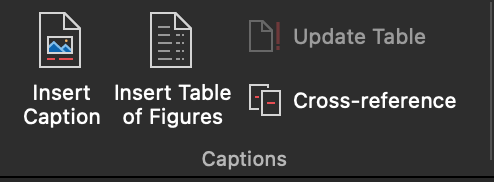
QIs there a way to generate a list of figures and tables in a book (in the FM)? Using a Word function?

AYes! When styles have been applied to the captions/titles, it’s a snap! There are also plugins and macros that will do this, explained below.

Continue reading Q&A: Is there an easy way to make a list of figures? →

How to Find Highlighting

Editors sometimes use highlighting in MS Word to flag content. My publisher clients have asked me to highlight design and production instructions within the text, and I use highlighting to flag item for fact checking or a second look. (Design instructions include things like [table near here] and [note this is a mu symbol].)

Therefore, one of my final checks on a file is to review all the highlighting. Word makes this easy, using the Advanced Find and Replace to skip through all instances of highlighting.

Continue reading How to Find Highlighting →