
Q&A: Spellcheck Is Now in “Editor” in Word
QWhere did Spellcheck go!?
AIt’s tucked inside “Editor” now. It’s pretty much the same, except that readability statistics are found in an area of the Editor pane too, not after running Spellcheck. See the demos below.
Continue reading Q&A: Spellcheck Is Now in “Editor” in Word
Essentials training
Get the know-how to hit the editorial desk at full speed. Sign up now for this on-demand self-paced training at Archer Editorial Training and turn Word into something that makes editing easier.
- Start any time.
- Learn at your own speed.
- The course is yours to keep!
Word Essentials handout, Editors transform
Here is the handout (296 kB) with a summary of links for more about the topics covered in the session. You can search this blog using the field in the middle of this page, and submit your questions about word using this email link.
Continue reading Word Essentials handout, Editors transform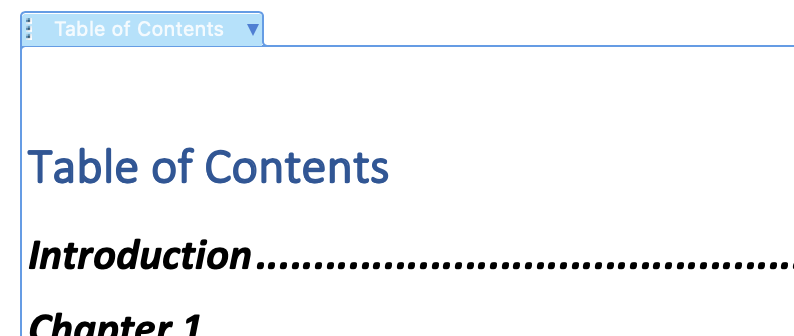
Create a Table of Contents in Word Automatically
Word will automatically populate a table of contents for any file. Here’s the easiest method:
Continue reading Create a Table of Contents in Word Automatically
Create a Landscape Page in a Portrait Document
To accommodate a very wide table or picture, turn its page(s) sideways within a document. All you have to do is insert section breaks before and after the content, then select landscape orientation for those pages.
Continue reading Create a Landscape Page in a Portrait Document
Changes Coming to Comments in Word
“Modern Comments” are rolling out to subscribed Windows users and Word for Web rather like a steam roller over rubber duckies. This new MS Word “feature” is interrupting workflow for many and may render some functions inside them inoperable (such as autocomplete and search). Here’s what to expect:
Continue reading Changes Coming to Comments in Word
Paragraph spacing in Word
There’s no need to hit return multiple times to make a manuscript look nice. In fact the next person in the production line will probably be removing those hard returns as a first step toward producing the final product.
Continue reading Paragraph spacing in Word
Little-known Word Shortcuts

If you are using control + S to save like you’ve got a twitch (and what MS user hasn’t learned to save obsessively), you already know that shortcuts will save you a lot of time over using menus. Here are some surprising, lesser-known keyboard shortcuts that will speed up your productivity.
Continue reading Little-known Word Shortcuts
When to Use Vertical Lists
Vertical lists are a useful structure in plain language principles for document architecture, because they aid reading. But they also provide visual prominence to the content, and sometimes that’s not warranted or desired. So, when should you use a vertical list and when should you not? Even within the guidelines we find below, there is room for personal preference, house style, and conventions of the medium. For example, recipes will always place ingredients in a vertical list.
Continue reading When to Use Vertical Lists