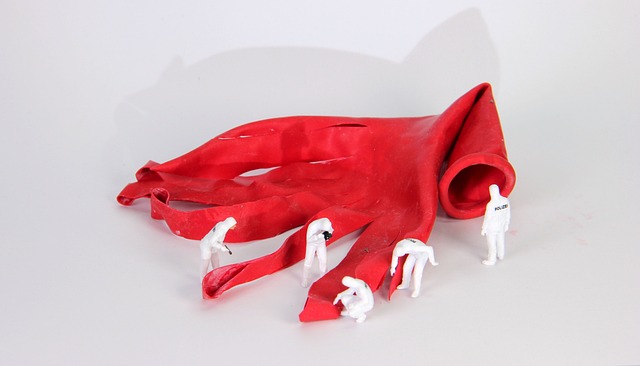
QI think the author made subtle changes to the Styles when they were revising. Things like the space above the Style and its exact colour. How can check?!
Continue reading Q&A: Detect Changes to StylesAll posts by Adrienne Montgomerie

Delete Resolved Comments Only

Resolved Comments go quiet in Word, but they don’t go away. It’s important to delete them when finalizing a document so they don’t inadvertently travel into the wild with the document, or get (much worse!) printed!
Continue reading Delete Resolved Comments Only
Launch Classic Spellcheck
With the introduction of the Editor pane, Word changed the look of Spellcheck. But you can still access the classic Spellcheck interface by adding it to the Quick Access Toolbar! You can see that at the very top of the image above.
Here’s how:
Continue reading Launch Classic Spellcheck
Word Essentials — 4 week course, Fall 2022
Join fellow editors in this 4-week course on the essentials of Word for editors, starting October 13th. Hit the editing desk at full speed!
Requirements
Continue reading Word Essentials — 4 week course, Fall 2022Word Essentials, Blog Set
Hit the editing desk running, with the 4-week Word Essentials course starting May 26th, and these how-to posts!
Continue reading Word Essentials, Blog SetWord Essentials, 4-week course
Join fellow editors in this 4-week course on the essentials of Word for editors, starting May 26th. Hit the editing desk at full speed!
Continue reading Word Essentials, 4-week course
Q&A: Finding Hyperlinks in Word
QHow can I find all the hyperlinks in a document?
AThere’s actually a RegEx for this (a “regular expression”). Type ^d in the Find field.
Continue reading Q&A: Finding Hyperlinks in WordNew Edition of EIW365 Available Now

Head on over to Lulu to buy the epub, updated and doubled in size!
In the preface, you’ll find a password for the resource site where you’ll find:
Continue reading New Edition of EIW365 Available NowNext Edition Coming Soon!
Now double the size, this expanded and updated edition incorporates an entire booklet on working with tables and three sections on ways to customize your workspace and combine and manipulate the features to hack the tools for maximum effect. Plus, it covers all of Word’s updates including changes to Modern Comments, Track Changes, Spellcheck, and the new Editor toolset.
Continue reading Next Edition Coming Soon!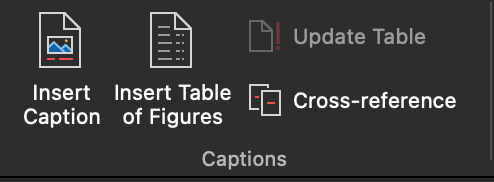
Q&A: Is there an easy way to make a list of figures?
QIs there a way to generate a list of figures and tables in a book (in the FM)? Using a Word function?
AYes! When styles have been applied to the captions/titles, it’s a snap! There are also plugins and macros that will do this, explained below.
Continue reading Q&A: Is there an easy way to make a list of figures?