QI think the author made subtle changes to the Styles when they were revising. Things like the space above the Style and its exact colour. How can check?!
Continue reading Q&A: Detect Changes to StylesTag Archives: hacks

Delete Resolved Comments Only

Resolved Comments go quiet in Word, but they don’t go away. It’s important to delete them when finalizing a document so they don’t inadvertently travel into the wild with the document, or get (much worse!) printed!
Continue reading Delete Resolved Comments Only
Launch Classic Spellcheck
With the introduction of the Editor pane, Word changed the look of Spellcheck. But you can still access the classic Spellcheck interface by adding it to the Quick Access Toolbar! You can see that at the very top of the image above.
Here’s how:
Continue reading Launch Classic Spellcheck
Q&A: Finding Hyperlinks in Word
QHow can I find all the hyperlinks in a document?
AThere’s actually a RegEx for this (a “regular expression”). Type ^d in the Find field.
Continue reading Q&A: Finding Hyperlinks in Word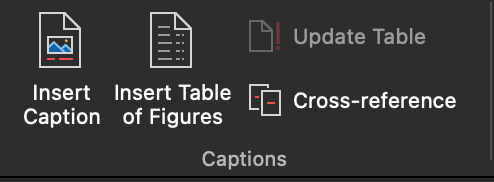
Q&A: Is there an easy way to make a list of figures?
QIs there a way to generate a list of figures and tables in a book (in the FM)? Using a Word function?
AYes! When styles have been applied to the captions/titles, it’s a snap! There are also plugins and macros that will do this, explained below.
Continue reading Q&A: Is there an easy way to make a list of figures?
Little-known Word Shortcuts

If you are using control + S to save like you’ve got a twitch (and what MS user hasn’t learned to save obsessively), you already know that shortcuts will save you a lot of time over using menus. Here are some surprising, lesser-known keyboard shortcuts that will speed up your productivity.
Continue reading Little-known Word Shortcuts
Extracting Comments and Markup from a Word Manuscript

Word lets you extract a summary of comments and markup in the Print dialog. You can either create a PDF or a paper copy.
Continue reading Extracting Comments and Markup from a Word Manuscript
Q&A: Where Is the Mid-Document Word Count?
QWord used to show me what word I was on out of the total word count. Where has that gone?
AThat feature is no more, but here’s a workaround because it was uesful to track our progress and as place markers or reference points within the document that weren’t affected by font and spacing choices.
Continue reading Q&A: Where Is the Mid-Document Word Count?
Tracking Changes in PowerPoint Slides
Forced to edit a slide presentation and missing Word’s Track Changes? “Compare” to the rescue! Just save the PowerPoint file with a new name, and make your changes. Then, select Compare on PowerPoint’s Review ribbon. (Only Windows users get this option, sorry Mac users.)
Continue reading Tracking Changes in PowerPoint Slides
Reduce Picture Bloat in Word Files
You already know how to remove all pictures from a file in a single click, but what if you need to keep those images in place? Checking visual content is a key editorial task, after all. Or what if the Word file is producing the output so the pictures are required? Many reports and ebooks are designed in Word!
Continue reading Reduce Picture Bloat in Word Files